Kanchanburi province, mostly mountainous terrain, is the 3rd largest province in Thailand after Nakhon Ratchasima or Ko-Rat and Chiang Mai.
Situated approximately 129 kilometers west of Bangkok, Kanchanaburi shares a border with Myanmar (Formerly Burma) to the west, Tak and Uthai Thani Provinces to the north, Suphan Buri and Nakhon Pathom Provinces to the east, and Ratchaburi Province to the south.
History
Thailand's western region includes the province of Kanchanaburi, which is known for its unique culture and intriguing history.
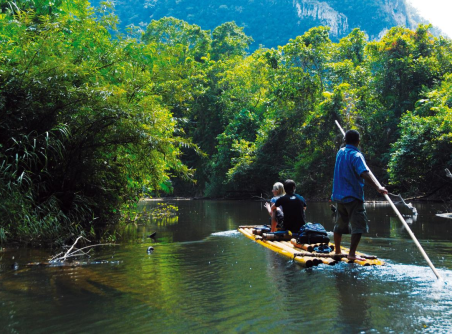
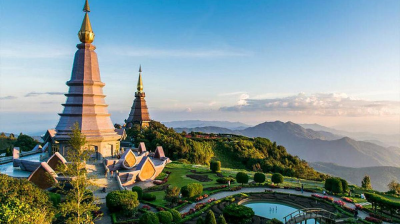
The Thanon Thongchai Range, which forms a natural barrier between Thailand and Myanmar, may be discovered in the north and west of Kanchanaburi. The two most prominent rivers in Kanchanaburi, Maenam Khwae Noi (River Kwai Noi) and Maenam Khwae Yai (River Kwai Yai), both which form the renowned Mae Klong River, originate from the mountain. As a result, this region is home to some of Thailand's biggest Namtok (waterfalls) and largest animal sanctuaries. The spectacular scenery and attractive beauty of Kanchanaburi have led to the development of numerous well-known waterfalls, caves that were formerly home to Neolithic humans, pristine national parks, quiet rivers, virgin forests, and reservoirs as top tourist destinations. Whether it's golfing, riding an elephant, stargazing, bird viewing, rafting, canoeing, mountain biking, golfing, elephant and jungle trekking, or even living in bamboo rafts.
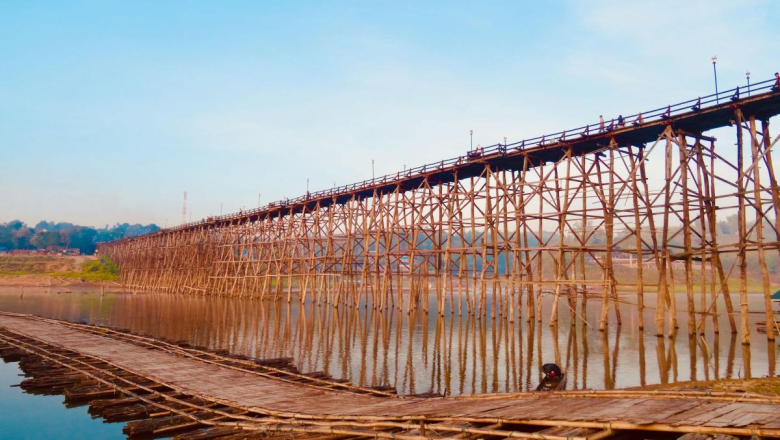
At the intersection of three tributaries, the River Kwai Noi and River Kwai Yai, which together make up the Mae Klong river, is the city of Kanchanaburi. This is where the legendary Death Railway and the Bridge on the River Kwai, two of the most well-known World War II sites that have been depicted in literature and film, are located. Due to its tremendous tourism potential, Kanchanaburi is the west province with the biggest annually number of visitors, making it a major source of revenue for the residents.
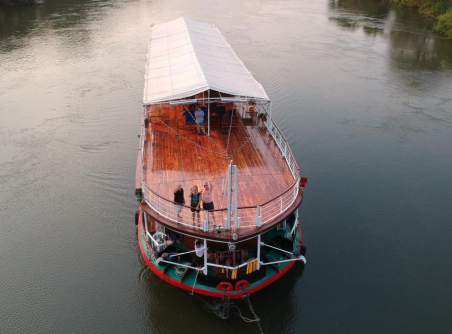
Furthermore, folk dances and songs that date back at least 500 years are still performed today. A number of historians claim that Ban Lat Ya, a small village about 16 kilometers north of the modern town, was nearby to the ancient town of Kanchanaburi. The location has frequently been mentioned in Thai history as a path utilized by the Burmese to invade Thai kingdoms. The incredible tales and facts that surround Kanchanaburi are what draw tourists from around the world. One of the hotels in Kanchanaburi where travelers may explore everything is the FloatHouse River Kwai.
Weather
There are three different seasons in Kanchanaburi's tropical climate. All year round, it is sunny and rainy. Because of this, Kanchanaburi is best visited year-round, but the milder months of November through February are the busiest.
How to get there
It takes around 3 hours to travel there by train, bus, or private transfer from Bangkok, making it an excellent day trip or overnight excursion.