
About Saraburi

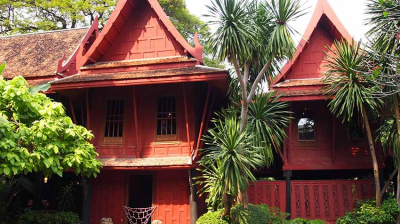
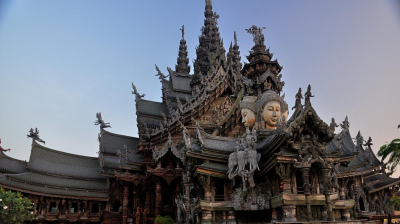
Saraburi province is located in Central Thailand and is famous for its nature, art, cultures, and industries. Presumably founded in 1549 as a center for army mobilization during the Ayutthaya period, the city often appeared as a background of many Historical wars.

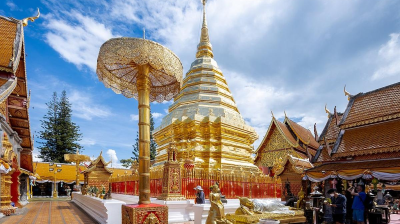
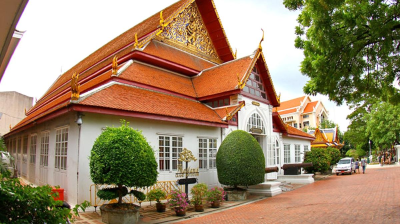
Saraburi, a province in the upper central region of Thailand, is rich in tourist attractions including natural sites, cultural festivals, majestic Temples, and historical venues. Located 108 kilometers north of Bangkok, Saraburi city is just 65 kilometers from Ayutthaya and the two can be combined to make a diverse day trip. The most important Buddhist temple in Saraburi, Wat Phra Phutthabat was built in the 17th century and features a “Buddha footprint” that has made it one of the most popular pilgrimage sites in central Thailand.

Saraburi province contains two national parks, Namtok Chet Sao Noi, which features a scenic waterfall, and Phra Phutthachai, which contains the Khao Sam Lan Forest, as well as several rivers and waterfalls. For those looking for more than nature, Saraburi also features some fantastic opportunities for golfing.

Saraburi, a province filled with historical sites, also features a 17th century temple with the holy “footprint” of the Buddha. In addition to beautiful natural attractions, including two national parks, the region is known for its delectable Food and kindhearted people. Saraburi is located some 108 kilometers from Bangkok and can be visited as a day trip from the capital or as part of a weekend trip along with a visit to Ayutthaya.

Traveler Best Choice

Saraburi from Bangkok in 1 day

Koh Chang Island - Trat - Koh Mak - Koh Kood Private

From US$ 222 US$ 111

What to do in Saraburi

dsds

Restaurants & Bars in Saraburi

dsds

Destinations around

FAQs

This is the first item’s accordion body. It is shown by default, until the collapse plugin adds the appropriate classes that we use to style each element. These classes control the overall appearance, as well as the showing and hiding via CSS transitions. You can modify any of this with custom CSS or overriding our default variables. It’s also worth noting that just about any HTML can go within the .accordion-body, though the transition does limit overflow.

This is the second item’s accordion body. It is hidden by default, until the collapse plugin adds the appropriate classes that we use to style each element. These classes control the overall appearance, as well as the showing and hiding via CSS transitions. You can modify any of this with custom CSS or overriding our default variables. It’s also worth noting that just about any HTML can go within the .accordion-body, though the transition does limit overflow.

This is the third item’s accordion body. It is hidden by default, until the collapse plugin adds the appropriate classes that we use to style each element. These classes control the overall appearance, as well as the showing and hiding via CSS transitions. You can modify any of this with custom CSS or overriding our default variables. It’s also worth noting that just about any HTML can go within the .accordion-body, though the transition does limit overflow.

This is the third item’s accordion body. It is hidden by default, until the collapse plugin adds the appropriate classes that we use to style each element. These classes control the overall appearance, as well as the showing and hiding via CSS transitions. You can modify any of this with custom CSS or overriding our default variables. It’s also worth noting that just about any HTML can go within the .accordion-body, though the transition does limit overflow.

This is the third item’s accordion body. It is hidden by default, until the collapse plugin adds the appropriate classes that we use to style each element. These classes control the overall appearance, as well as the showing and hiding via CSS transitions. You can modify any of this with custom CSS or overriding our default variables. It’s also worth noting that just about any HTML can go within the .accordion-body, though the transition does limit overflow.

This is the third item’s accordion body. It is hidden by default, until the collapse plugin adds the appropriate classes that we use to style each element. These classes control the overall appearance, as well as the showing and hiding via CSS transitions. You can modify any of this with custom CSS or overriding our default variables. It’s also worth noting that just about any HTML can go within the .accordion-body, though the transition does limit overflow.